


AI easily analyzes and
summarizes your work
history
Handle everything from log review to audit
response with a single AI report
 Interested in deployment or pricing?
agent collects logs — and
once the
session ends, an AI
report is generated
automatically
Review only what matters, and
organize
it into a report with ease
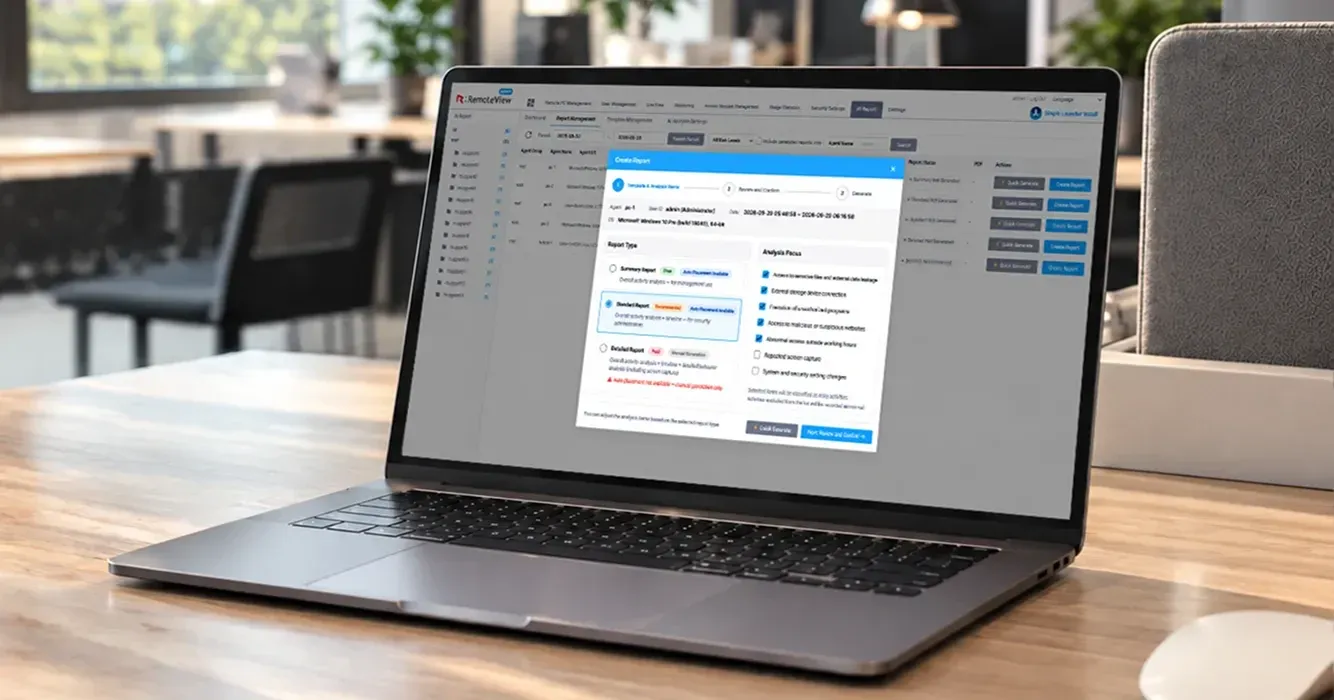
Instead of reviewing the entire log, start with what the
iAI flags as important. Select only the sessions you
ineed to build a report you can use for everything from
iwork management to audit response.
- Review only key logs
- Choose the report that fits your purpose
- Session security summary
- Download history
- Programs, browser, and network used

Judge risk by your own
organization’s standards
You can directly enter a list of risk and trust
processes, or bulk-register them via CSV to set risk
criteria for each organization. Subgroups can
inherit
the parent group’s settings as is, or be
configured
separately as needed.
- CSV upload for risk & trust lists
- Group-level inheritance & override settings
See risk status and AI costs
in a
single dashboard
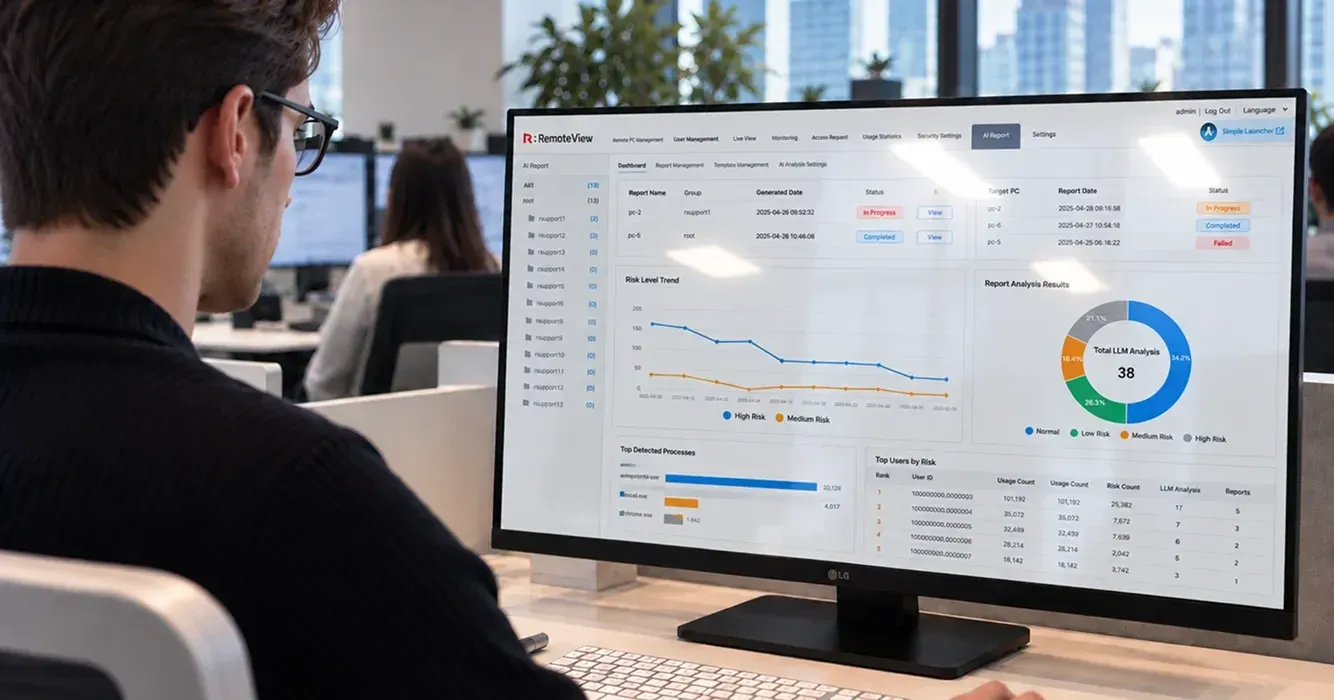
Spot high-risk sessions directly on the dashboard
and prioritize your review. AI usage costs can also
be broken down by period, so you can manage your
budget transparently.
- Session status by risk level
- Token usage by period
Stay covered, from data retention
to
operational stability
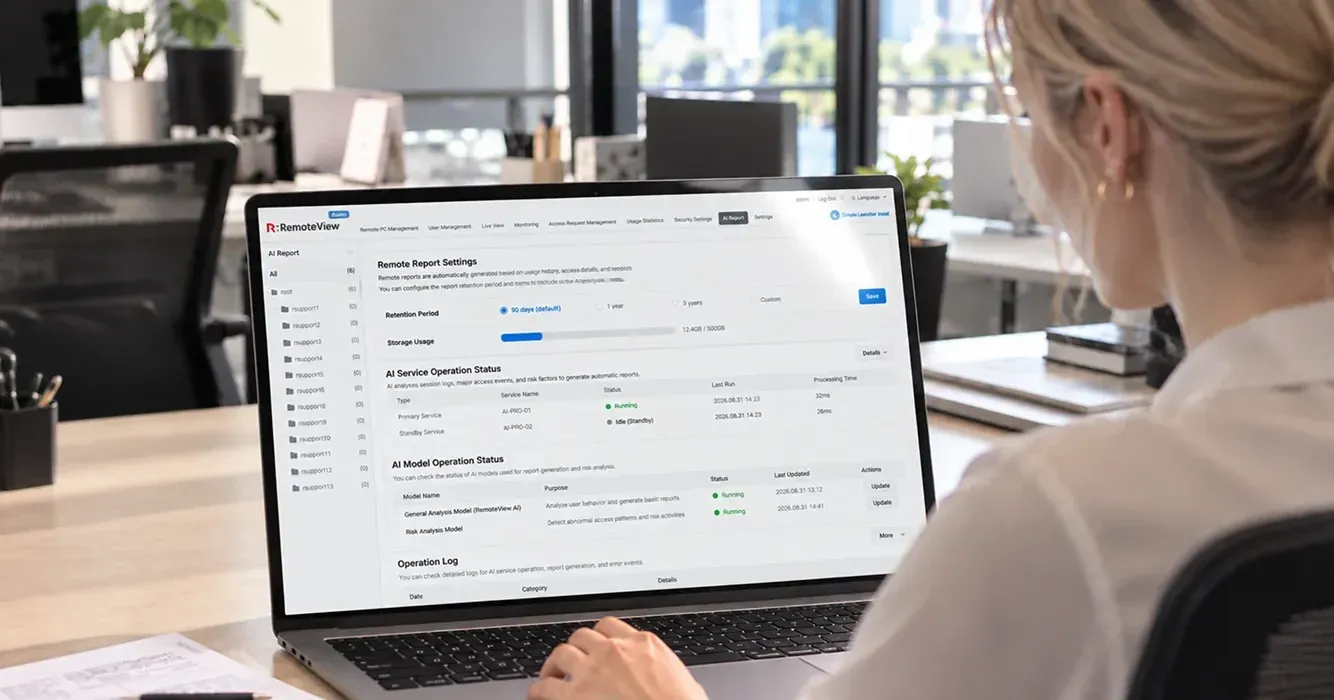
Reports are retained for 90 days by default, with
options to extend the retention period or keep them
indefinitely. If an issue occurs with the AI service, it
automatically switches over so report generation is
never interrupted. Session data is transmitted over
HTTPS encryption, and if security is a priority, you
can install Gemma4 directly on your internal
network so log data never leaves your environment.
- Customizable retention period
- Failover
- On-premises model integration
AI analyzes logs to flag
risky actions,
and once the admin confirms them,
the report is complete
-
01
Collect
session logsUses the mouse/keyboard input and process
execution logs already collected by the
RemoteView agent — no
separate installation
required. -
02
Identify key analysis
areasThe AI performs an initial screening for risk
factors based
on 7 key criteria. -
03
AI admin
reviewThe admin reviews the AI’s classification results,
makes
any needed edits, and
confirms them. -
04
Generate report
(PDF)Generate a report from the confirmed content,
preview it
on the web, and download it
as a PDF.
From summary to detail — a
range of reports for every
purpose
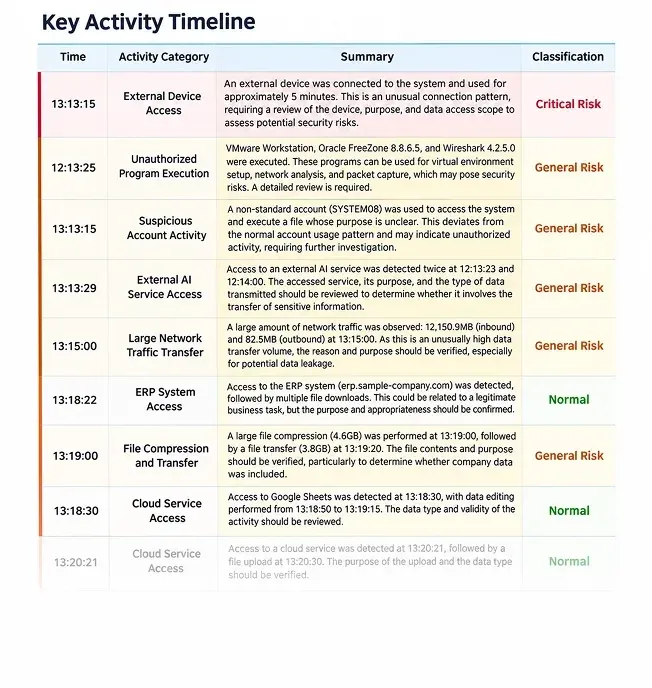
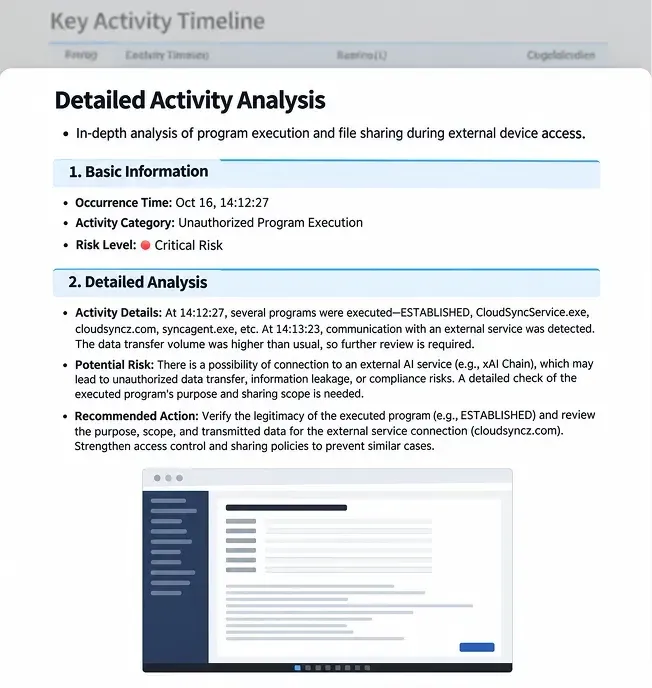
| Type | Summary | Standard | Detailed |
|---|---|---|---|
| Analysis scope | Full activity analysis | Full + timeline-based analysis | Full + timeline + activity-level detail (includes screenshots) |
| Auto-generated (with pre-configuration) |
Available | Available | Manual generation only |
| Recommended for | Quick status checks | Routine work review | In-depth analysis & audit response |
|
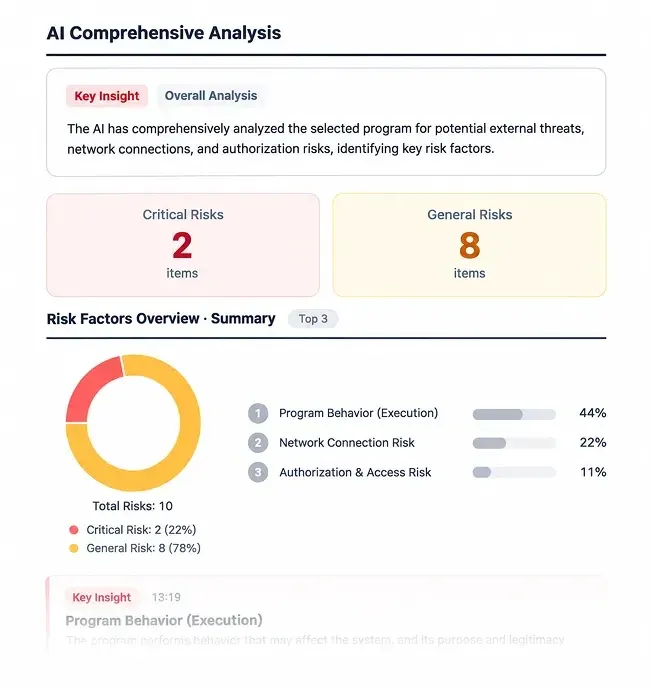
AI Summary Report
Actual reports may vary depending on the analysis results
|
AI Standard Report
Actual reports may vary depending on the analysis results
|
AI Detailed Report
Actual reports may vary depending on the analysis results
|
If this sounds like your
organization, consider
adopting AI Report
-
 Public and financial institutions
with frequent auditsQuickly gather audit evidence without
reviewing
every log by hand.Supports compliance with Article 13 of the
Electronic Financial Supervision
Regulation (data
protection measures) -
 Managers overseeing external
IT contractors
and maintenanceGain full visibility into external workers’
remote access
and activity.Supports Article 29 of the Personal Information
Protection Act and the access log
retention and
review standards under the ‘Standards for Ensuring
the Safety of
Personal Information’ -
 Companies that need different
security
standards across
departmentsApply different risk criteria tailored to each
department’s
needs. -
 Companies with SI outsourced
developers
working remotelyKeep a record of activity for outsourced staff
who access
source code and production
data.
Check before you adopt
 Supported
products- RemoteView product family (RemoteView SE, RemoteView OT, AI Online Third-Party Access Control System,
and more — additional products supported upon request)  Supported OS
- Windows (macOS support coming soon)
 Available reports
- Summary, Standard, and Detailed (supports web preview and PDF download)
 Security &
infrastructure- Supports AI service failover, with an option to integrate your own dedicated security AI model (Gemma4)
 Data retention
- AI reports are automatically deleted after 90 days by default, with extension or indefinite retention available
on request (original session records remain stored on the server)
Leave your question and we’ll
get back to you
∙ Purpose of collection and use: To review inquiries and respond with the results
∙ Retention and use period: Retained for 1 year after the inquiry review is completed
※ You have the right to refuse consent to the collection and use of personal information. However, if you refuse consent, you will not be able to submit your inquiry.
※ For more details, please refer to the Privacy Policy (https://www.rsupport.com/en-us/privacy/).
